Skip to content >

- What Smart Home Elevator Integration Means
- How Pve Elevators Work With Alexa And Google Home
- How A Smart Home Elevator Compares To A Traditional Elevator
- Setting Up Smart Home Control With The Ewelink App
- What You Can Actually Control
- Safety And Practical Considerations
- Which Pve Model Supports Smart Home Integration?
- Is A Smart Home Elevator Right For Your Home?
- Frequently Asked Questions
- Bringing It Together
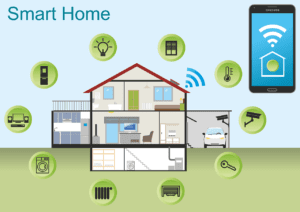
If you already run your lights, thermostat, and security system through Amazon Alexa or Google Home, you’ve probably wondered whether a smart home elevator is possible in a residential setting. It is. PVE’s home elevators can be paired with smart home devices through an optional Smart Home upgrade, giving you voice control, phone-based control, and the ability to call the cabin to any floor before you get there. As the world’s only air-driven residential elevator manufacturer, PVE is also the only company offering this level of smart home integration on a vacuum elevator, making it one of the more suitable home elevator solutions for tech-forward households.
This complete guide covers what the Smart Home feature does, how it connects to your existing devices, how it compares to control systems on traditional home elevators, how setup works through the eWeLink app, and which PVE model fits your home.
What Smart Home Elevator Integration Means
A smart home elevator connects your residential elevator to the same voice assistants and smart home ecosystems that already run the rest of your house. On a traditional home elevator, control usually starts and ends at a call button beside the elevator shaft. With PVE’s Smart Home feature, you speak a command to Alexa or Google Home, or tap a floor in an app on your phone, and the elevator responds the same way any other connected device in your smart home would, as part of the system, not separate from it.
For most homeowners, the practical draw is convenience. You can call the elevator to meet you at the right floor while your hands are full with heavy luggage or groceries. Multi-generational households and homeowners planning for accessibility get an additional benefit: hands-free control removes one more physical step from daily life, which matters for elderly residents or anyone with limited mobility. Households that already lean into smart home automation simply get a home elevator that fits the way they already run everything else in the house.
How Pve Elevators Work With Alexa And Google Home
PVE’s Smart Home feature is compatible with Amazon Alexa and Google Home Assistant. Connection runs through the eWeLink app, a widely used smart home platform available on both Apple and Android devices. Once the elevator is linked to eWeLink and eWeLink is linked to your Alexa or Google Home account, the elevator becomes a controllable device in whichever ecosystem you already use.
The feature supports fully custom voice commands. You’re not limited to a fixed phrase. You can program any sentence you want. Some homeowners keep it functional (“Alexa, elevator up”), others get playful (“Hey Google, take me upstairs”). Custom commands also let you fold the elevator into broader smart home routines, so a “goodnight” scene can send the cabin to the ground floor along with turning off the lights.
A few practical notes. The Smart Home feature is an optional upgrade, not standard equipment. It requires a working Wi-Fi connection in the home. Setup requires the eWeLink app installed on a smartphone or tablet. And your physical elevator controls always work independently, smart home integration is an added control layer, not a replacement for the standard call buttons in the cabin.
How A Smart Home Elevator Compares To A Traditional Elevator
Most of what people picture when they hear “home elevator” is a scaled-down version of a commercial elevator; a hydraulic drive system, a dedicated machine room, a built elevator shaft running between floors, and a pit dug beneath the lowest landing. That structure works, but it also means a longer installation timeline and higher installation costs, since it requires construction similar to what you’d see in commercial buildings.
PVE’s air-driven design eliminates the machine room, the separate elevator shaft, and the pit entirely. The elevator is self-supporting and installs inside existing homes without the structural work a hydraulic system requires. Layering the Smart Home feature on top of that design means you get modern voice and app control on an elevator that was already built to be simpler than a traditional home elevator to install and operate; a combination that’s hard to match, whether you’re comparing PVE against other home elevator solutions or against elevators designed for commercial lifts in offices and other commercial buildings.
Setting Up Smart Home Control With The Ewelink App
Setup is designed to be handled by the homeowner, not a technician. The full walkthrough is provided by PVE support at the time of installation, but here’s the shape of it:
- Download the eWeLink app from the Apple App Store or Google Play.
- Pair the elevator’s Smart Home control system through the app.
- Link eWeLink to your Amazon Alexa or Google Home account.
- Program the voice commands or routines you want to use.
Most homeowners are up and running in a matter of minutes. Because eWeLink is a general-purpose smart home platform, if you’ve set up any other smart device before, the process will feel familiar. PVE’s support team is also available if you’d rather have a professional walk you through pairing the control system the first time.
What You Can Actually Control
Once the elevator is connected, three use cases cover most of what homeowners actually do with the feature day to day.
Voice Call To Floor
Speak your programmed command to Alexa or Google Home and the elevator responds. This is the most common way homeowners use the feature day to day — hands-free, no phone required, works from anywhere within range of your smart speaker, whether you’re heading up with heavy luggage or just avoiding the stairs.
Phone As Digital Remote
Open the eWeLink app on your phone, tap the floor you want, and the elevator moves to meet you. This is useful when you’re on a different floor from your nearest smart speaker, or when you want the cabin waiting at a specific floor before you walk over to it. It effectively turns your phone into a digital remote for your home elevator, and it works the same way regardless of which PVE model is installed in your home.
Custom Smart Home Routines
Because the elevator shows up as a controllable device in Alexa or Google Home, you can build it into scenes and routines. A morning routine can send the cabin to the top floor. A goodnight routine can send it back to ground level. This is where a smart home elevator stops feeling like a novelty feature and starts feeling like a natural part of daily life in the house.
Safety And Practical Considerations
Smart home features are an added layer of control, not a replacement for the elevator’s built-in safety systems. A few points worth understanding before you upgrade:
The physical cab controls always work independently of the Smart Home feature. If your Wi-Fi goes down, the voice and app features stop working, but the elevator itself continues to operate normally through its standard controls.
Emergency safety systems are unaffected by smart home integration. In a power outage, PVE’s air-driven design uses gravity-assisted descent to bring the cabin to the lowest landing without electricity — the Smart Home upgrade doesn’t change that behavior.
In households with young children, program voice commands intentionally. Short generic phrases can be triggered accidentally in conversation. Longer, more specific commands (or wake phrases that pair with a name) reduce the chance of unintended calls and keep the elevator secure for everyday use.
Which Pve Model Supports Smart Home Integration?
The Smart Home feature is available as an optional upgrade on all three PVE residential elevator models. The upgrade works the same way and uses the same control system regardless of which model you choose — the difference between models is capacity, footprint, and installation fit, not smart home capability.
The PVE30 home elevator is the compact single-passenger model, with a design suitable for homes with tight footprints. The PVE37 home elevator is a two-passenger model with a larger cabin, well matched to families and daily use. The wheelchair-accessible PVE52 is the three-passenger model built to accommodate a wheelchair and companion. All three are shaftless, self-supporting, and installed without a machine room, elevator shaft, or separate pit — and all three can be equipped with the Smart Home upgrade for a complete voice- and app-controlled experience.
Is A Smart Home Elevator Right For Your Home?
The Smart Home upgrade is the strongest fit for a few specific situations. Homes that already run on Alexa or Google Home get the most immediate value, as the elevator slots into an ecosystem the household already uses without learning a new interface. Multi-generational homes and aging-in-place installations benefit from hands-free access, particularly when carrying heavy luggage between floors or when limited mobility makes reaching physical controls harder for elderly residents.
It’s less essential for homeowners who prefer traditional controls, homes without reliable Wi-Fi, or installations where the elevator is used infrequently enough that the added convenience doesn’t justify the upgrade cost. The standard PVE controls are high quality and work well on their own. Smart Home integration is a nice-to-have layer that fits a specific style of home use, not a required one. If you’re planning new construction or working with your project team to finalize a design, this is worth deciding on early so the upgrade can be included in the original installation.
Frequently Asked Questions
Can residential elevators be integrated with smart home ecosystems and voice control?
Yes. PVE residential elevators can be paired with Amazon Alexa and Google Home through the optional Smart Home upgrade. Once connected via the eWeLink app, the elevator becomes a voice-controllable device in whichever smart home ecosystem you already use, with support for custom voice commands and integration into broader smart home routines.
Which shaftless elevators support smart home integration?
All three PVE shaftless residential elevator models — PVE30, PVE37, and PVE52 — support smart home integration as an optional upgrade. Unlike traditional home elevators that require a machine room, elevator shaft, and pit, PVE’s shaftless design installs without that structural work. PVE is currently the only air-driven residential elevator manufacturer offering this feature, which means the shaftless elevator category is essentially the PVE lineup when it comes to Alexa and Google Home compatibility.
What smart home platforms work with PVE elevators?
PVE’s Smart Home feature works with Amazon Alexa and Google Home Assistant. Both platforms connect through the eWeLink app, which is available on Apple and Android devices. eWeLink handles the pairing and command routing between your voice assistant and the elevator.
Is smart home integration included with a PVE elevator or is it an upgrade?
Smart home integration is an optional upgrade, not standard equipment. It can be added to any of the three PVE residential elevator models (PVE30, PVE37, PVE52). Contact PVE for current pricing on the Smart Home upgrade.
Do I need Wi-Fi for the smart home elevator feature to work?
Yes. The Smart Home feature requires a working Wi-Fi connection in the home because it relies on the eWeLink app and your voice assistant’s cloud connection. If Wi-Fi goes down, voice and app control stop working, but the elevator’s standard physical controls continue to operate normally.
Can I control the elevator from my phone when I’m not home?
The eWeLink app can control the elevator remotely, provided your home Wi-Fi and the eWeLink cloud connection are both active. Practically speaking, most homeowners use the phone control feature inside the house — calling the cabin to a specific floor from a different room, rather than trying to operate it from off-site.
Does the smart home feature affect elevator safety systems?
No. Smart home integration is an added control layer on top of the standard elevator controls. All built-in safety systems, including gravity-assisted descent in a power outage, operate independently of the Smart Home feature and are unaffected by it.
Bringing It Together
PVE remains the only air-driven residential elevator manufacturer offering full smart home integration, available as an optional upgrade across the PVE30, PVE37, and PVE52 — with no machine room, elevator shaft, or pit required for any of them. If you’re comparing models or trying to decide whether a smart home elevator fits your installation, the PVE residential elevator lineup is the best place to start. For pricing on the Smart Home upgrade, installation costs, or answers to specific setup questions, contact the PVE sales team directly or fill out the information request form to get matched with the right model for your home.